
 See Our Latest Article on HelloNation
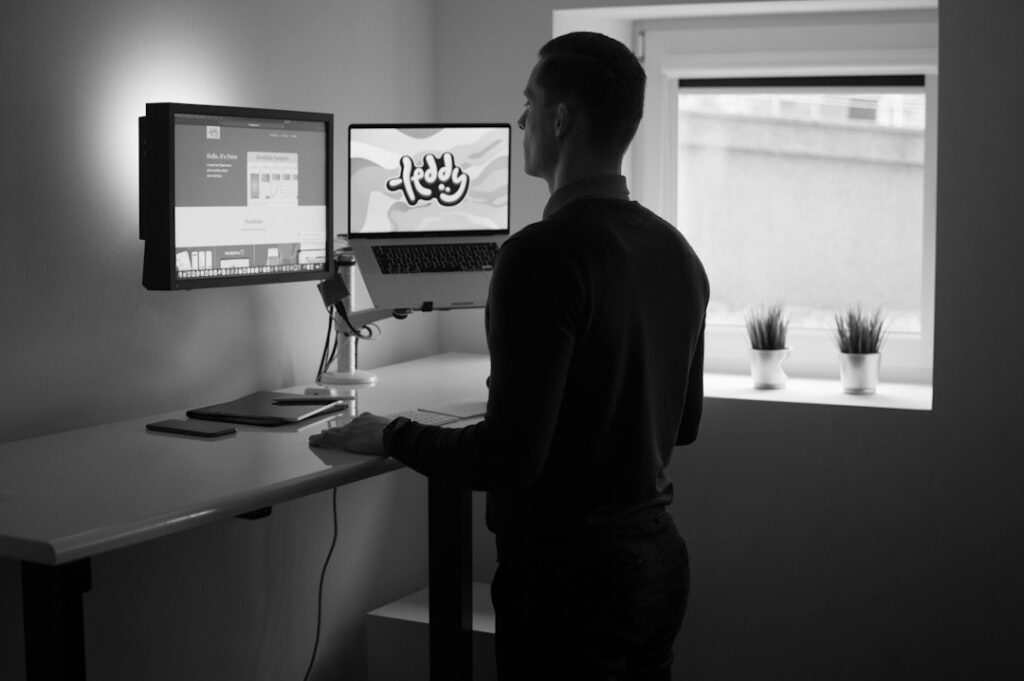
Desk work can cause more than temporary stiffness. Repeated computer use, long periods of sitting, poorly arranged equipment, and limited movement may contribute to neck pain, low back discomfort, shoulder tension, headaches, and symptoms affecting the wrists or hands.
For residents of Arcadia, NY, these problems may develop in a traditional office, a home workspace, or a kitchen-table setup used during remote work. The setting matters less than the pattern: the body remains in a limited position while the same muscles and joints perform small, repetitive tasks for hours.
What injuries are commonly linked to desk work?
The most common desk-related complaints involve the neck, shoulders, upper back, lower back, wrists, and hands. These symptoms often begin gradually rather than with a single obvious injury.
Typical examples include:
- Neck stiffness from holding the head forward while looking at a screen
- Shoulder and upper-back tension from reaching for a keyboard or mouse
- Low back pain from unsupported sitting or remaining in one position too long
- Wrist or hand discomfort from prolonged keyboard and mouse use
- Headaches associated with neck tension, eye strain, or poor screen placement
- Hip tightness and leg stiffness after extended sitting
A desk job does not automatically cause a specific diagnosis. Pain may also be influenced by sleep, stress, previous injuries, physical activity, lifting, or medical conditions. The useful first step is to identify which tasks or positions increase symptoms and which changes provide relief.
How can poor workstation setup lead to pain?
A workstation can place unnecessary stress on the body when the screen, chair, keyboard, or mouse is positioned too far away or at the wrong height. The body then compensates by rounding the shoulders, extending the neck, lifting the arms, or bending the wrists.
A more neutral setup generally allows:
- The head to remain balanced over the torso rather than pushed forward
- The shoulders to stay relaxed
- The elbows to remain close to the body and bent comfortably
- The forearms and wrists to stay relatively straight
- The feet to rest on the floor or a stable footrest
- The lower back to receive support from the chair
- The monitor to sit directly in front of the user
The exact measurements depend on body size and equipment. Comfort and adjustability are more useful than trying to force every person into one “perfect” posture.
Laptops deserve special attention because the screen and keyboard are attached. Raising the screen often improves neck position but may place the hands too high. Using a separate keyboard and mouse can make it easier to position the screen and arms independently.
Is sitting with perfect posture enough?
No. Even a well-arranged workstation can become uncomfortable if the body stays still for too long. Posture is not a single position that must be held all day. Healthy desk work involves changing positions regularly.
Short movement breaks may include:
- Standing while reading a document
- Walking briefly during a phone call
- Rolling the shoulders gently
- Moving the neck through a comfortable range
- Extending the hips and legs after prolonged sitting
- Changing between sitting and standing when practical
The goal is not intense exercise during the workday. It is to interrupt long periods of static loading and allow different tissues to move. A timer can help people who become absorbed in computer tasks and do not notice discomfort until the end of the day.

What should someone do when pain first appears?
Early symptoms are often easier to address than pain that has been building for months. Start by reviewing the work pattern rather than simply trying to sit straighter.
Ask:
- Does discomfort appear after a particular task?
- Is the screen off to one side?
- Are the shoulders raised while typing?
- Does the chair provide adequate support?
- Are the wrists bent while using the keyboard or mouse?
- Does pain improve after walking or changing positions?
- Has work recently increased, such as during a deadline or busy season?
Adjust one or two factors at a time. For example, move the monitor directly in front of the body, bring the mouse closer, and add brief movement breaks. If several changes are made at once, it becomes harder to know what helped.
Gentle movement is usually more useful than complete inactivity for ordinary stiffness, but exercises should not produce sharp, spreading, or worsening pain. A chiropractor or other qualified health professional may help assess movement patterns, joint or muscle irritation, and ergonomic contributors when symptoms persist or interfere with daily activities.
Could seasonal conditions affect desk-related discomfort?
Seasonal habits can change how people work at home. During cold weather in Arcadia, residents may spend more time indoors, use temporary work areas, or work from couches and dining tables rather than a dedicated desk. Extra layers can also restrict shoulder movement, while dim winter lighting may encourage leaning toward a screen.
These factors do not directly explain every pain complaint, but they can make an existing problem more noticeable. A stable chair, adequate lighting, and a workspace that allows the feet and back to be supported can reduce unnecessary strain during long indoor periods.
When is desk-related pain a warning sign?
Most work-related aches are not emergencies, but certain symptoms require prompt medical evaluation. Seek urgent care for pain associated with significant weakness, numbness that is spreading or persistent, loss of coordination, difficulty walking, loss of bladder or bowel control, severe injury, fever, unexplained weight loss, or sudden severe headache.
Neck pain accompanied by weakness, tingling, or numbness in an arm should not be dismissed as ordinary posture strain. Chest pain, shortness of breath, fainting, or pain spreading into the jaw or arm also requires emergency attention rather than an ergonomic adjustment.
Persistent symptoms deserve evaluation even without these warning signs, especially when pain repeatedly returns, disrupts sleep, or limits work, driving, lifting, or household activities. The cause may involve more than the workstation itself.
What is the most practical prevention strategy?
The most reliable approach combines a reasonable workstation setup with frequent position changes and gradual attention to symptoms. A supportive chair cannot replace movement, and stretching alone cannot correct a screen that is consistently too low or too far away.
A useful daily routine is simple: begin with the screen and keyboard positioned comfortably, keep frequently used items within easy reach, change position regularly, and respond to early discomfort before it becomes severe. These habits are relevant whether work takes place in an office, a home workspace, or a temporary seasonal setup.
